
Replay every moment
with just one finger.
Replay every moment
with just one finger.
Data analysis app exclusively for
volleyball teams.
Data analysis app exclusively for
volleyball teams.

Features
Features
01
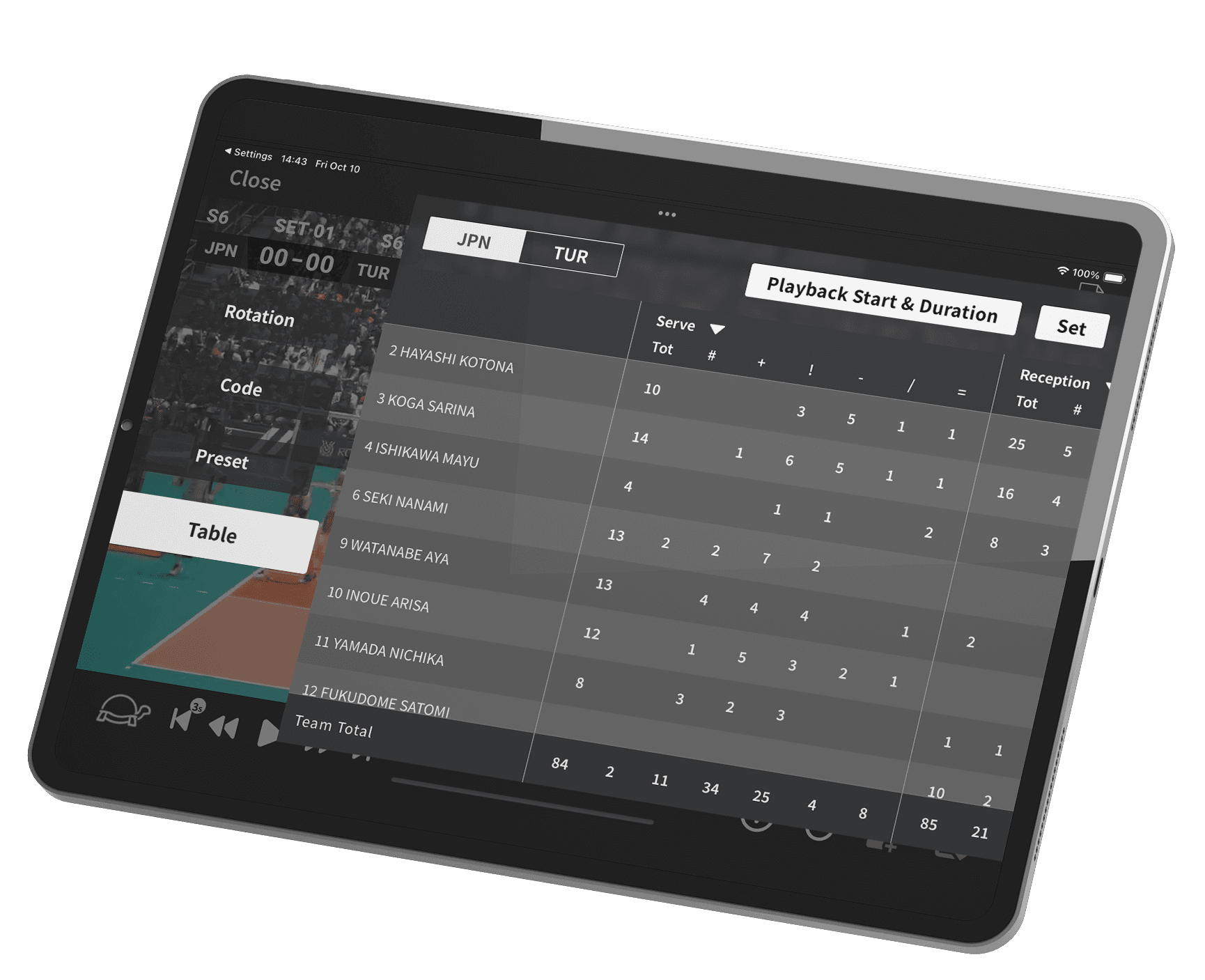
Play and analyze — all in one app
Watch your games while instantly reviewing detailed stats and performance data.
01
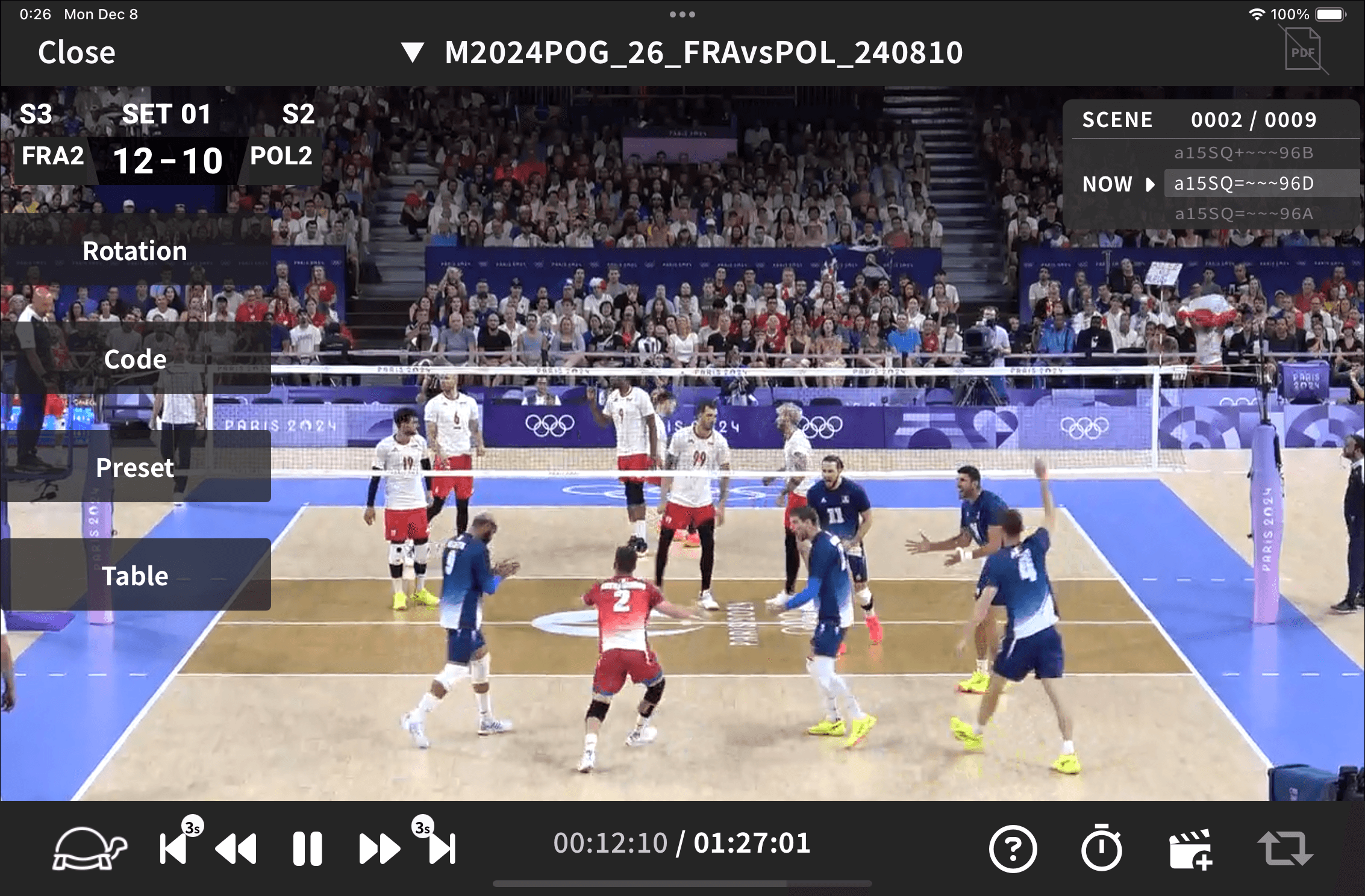
Play and analyze — all in one app
Watch your games while instantly reviewing detailed stats and performance data.
01
Play and analyze — all in one app
Watch your games while instantly reviewing detailed stats and performance data.
Easily extract only the scenes who want to check
Filter scenes by skill, tempo, or player name to pinpoint exactly the moments you need.
Review efficiently and focus on what really counts.
02
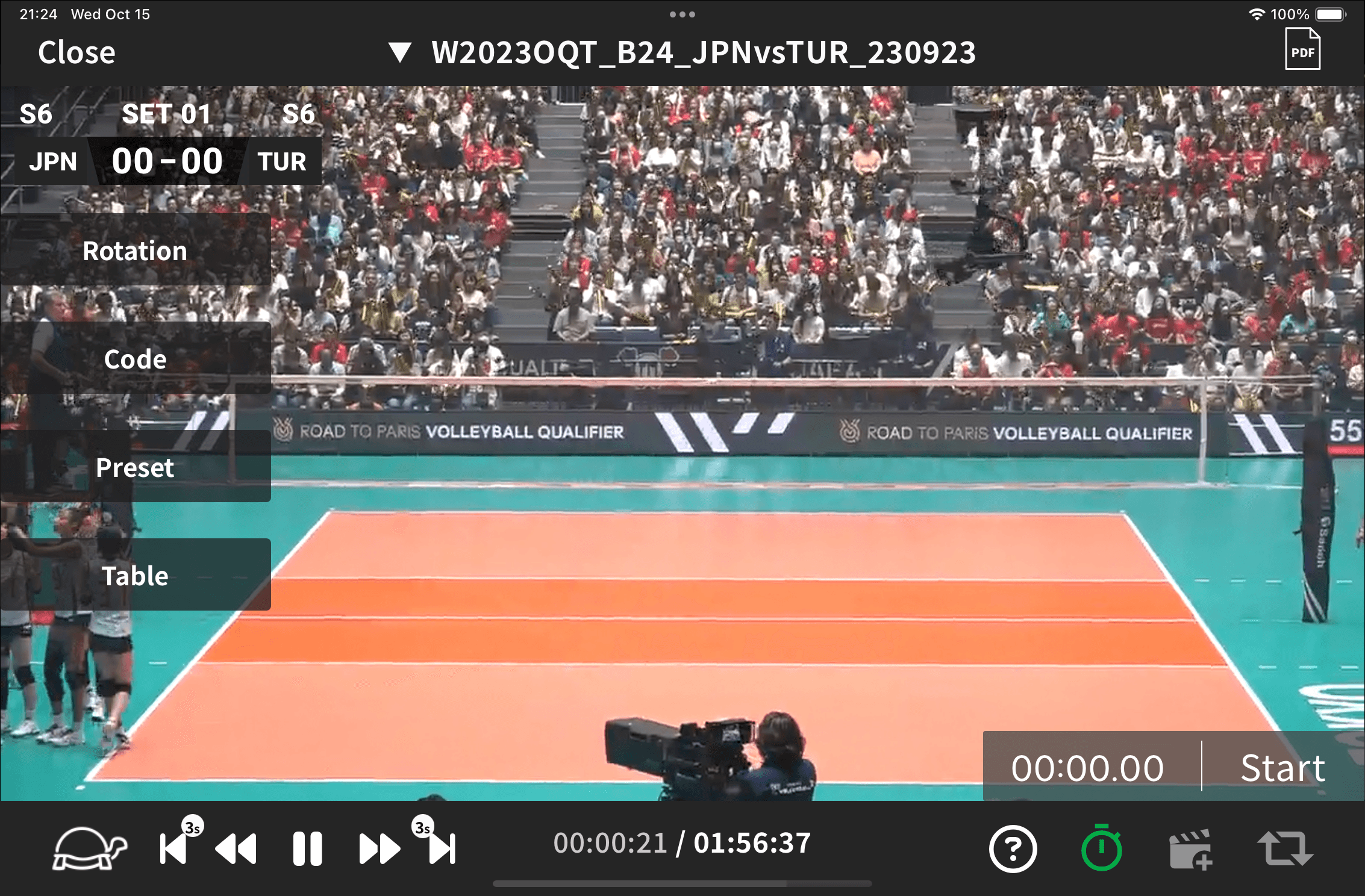
Watch Only What Matters
Filter scenes by skill, tempo, or player name to pinpoint exactly the moments you need.
Review efficiently and focus on what really counts.
02
Easily extract only the scenes who want to check
Filter scenes by skill, tempo, or player name to pinpoint exactly the moments you need.
Review efficiently and focus on what really counts.
02
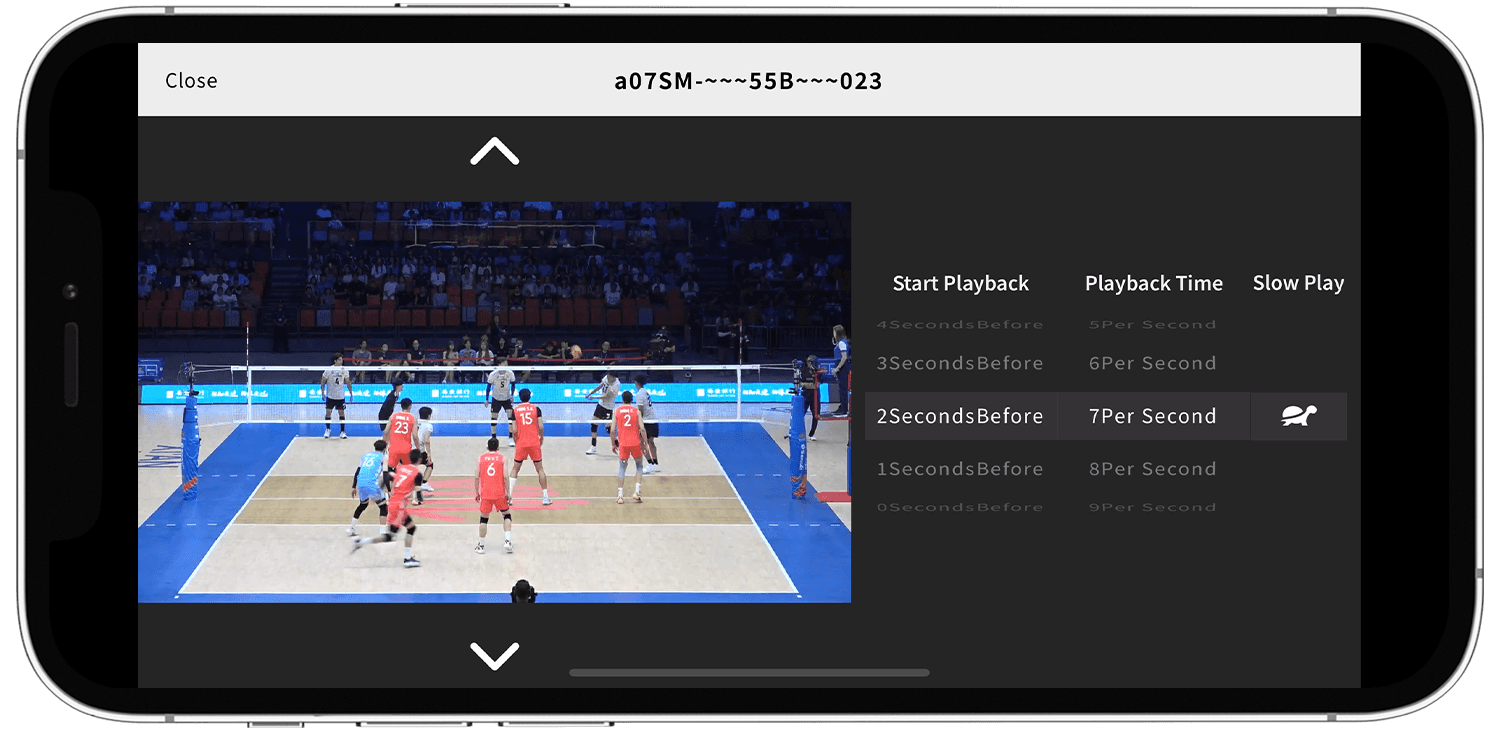
Flexible Playback Controls
Enjoy full control with slow motion, frame-by-frame, or scene skip playback.
Review every play at your own pace and dive into the details.
03
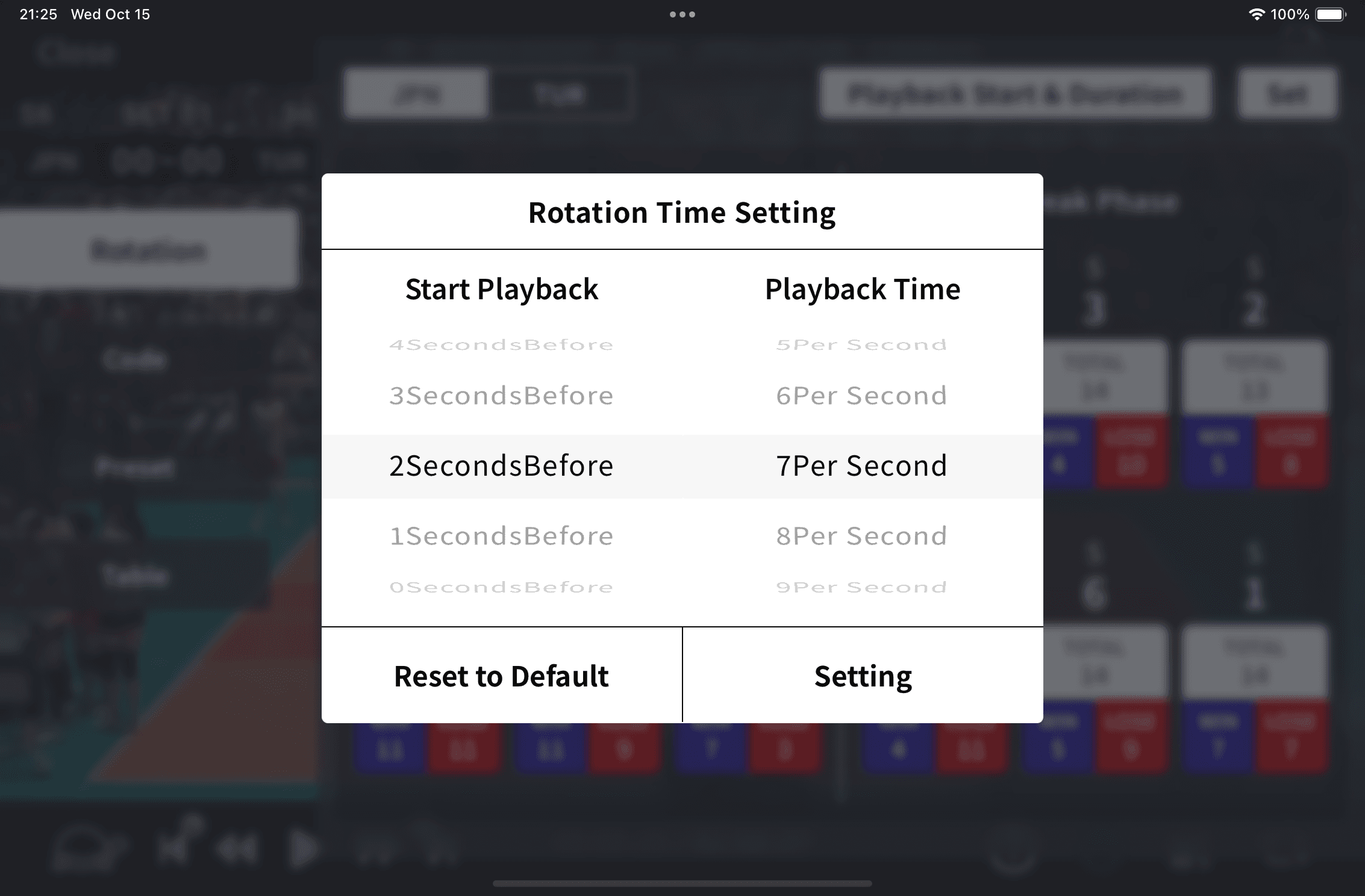
Flexible Playback Controls
Enjoy full control with slow motion, frame-by-frame, or scene skip playback.
Review every play at your own pace and dive into the details.
03
Flexible Playback Controls
Enjoy full control with slow motion, frame-by-frame, or scene skip playback.
Review every play at your own pace and dive into the details.
03
Save Highlight Clips Instantly
Manage your imported videos in a smart library,
and batch-save filtered scenes as highlight clips for easy analysis and sharing.
04
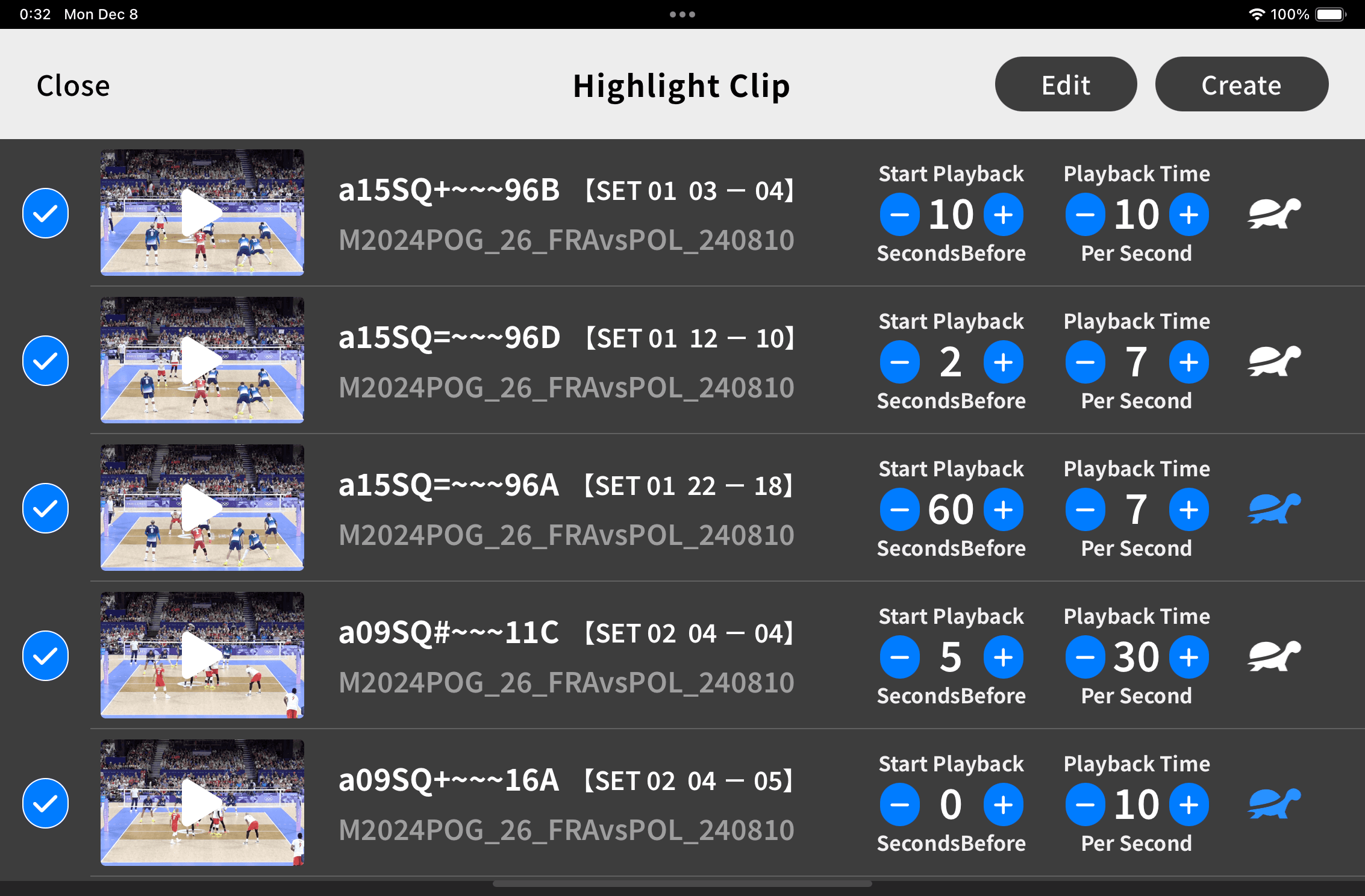
Save Highlight Clips Instantly
Manage your imported videos in a smart library,
and batch-save filtered scenes as highlight clips for easy analysis and sharing.
04
Save Highlight Clips Instantly
Manage your imported videos in a smart library,
and batch-save filtered scenes as highlight clips for easy analysis and sharing.
04
Main Functions
Main Functions
Intuitive Interface
A clean, intuitive UI that lets you stay focused on analysis — no unnecessary complexity.
Intuitive Interface
A clean, intuitive UI that lets you stay focused on analysis — no unnecessary complexity.
Intuitive Interface
A clean, intuitive UI that lets you stay focused on analysis — no unnecessary complexity.
Team Sharing
Easily share videos and data with teammates via AirDrop or cloud services.
Team Sharing
Easily share videos and data with teammates via AirDrop or cloud services.
Team Sharing
Easily share videos and data with teammates via AirDrop or cloud services.
Saved Preset Filters
Save frequently used search conditions or skill categories as presets for quick access.
Saved Preset Filters
Save frequently used search conditions or skill categories as presets for quick access.
Saved Preset Filters
Save frequently used search conditions or skill categories as presets for quick access.
Custom Playback Timing
Adjust playback start/end points and speed to match your review style and purpose.
Custom Playback Timing
Adjust playback start/end points and speed to match your review style and purpose.
Custom Playback Timing
Adjust playback start/end points and speed to match your review style and purpose.
Organized Video Library
Manage all your match videos in one place — neatly organized by date or venue.
Organized Video Library
Manage all your match videos in one place — neatly organized by date or venue.
Organized Video Library
Manage all your match videos in one place — neatly organized by date or venue.
Advanced Playback Options
Control your footage with precision using slow motion, frame-by-frame, or scene-skip playback.
Advanced Playback Options
Control your footage with precision using slow motion, frame-by-frame, or scene-skip playback.
Advanced Playback Options
Control your footage with precision using slow motion, frame-by-frame, or scene-skip playback.
Use Cases
Use Cases
Post-Game Review of Performance
Reviewing your team’s and your own performance objectively through data and video enables effective reflection and helps clearly identify weaknesses.
In-Depth Analysis of Upcoming Opponents
By analyzing your next opponent’s past games, you can better understand both team-level and individual characteristics, making it easier to develop strategies. This also helps ensure tactical plans are shared efficiently during pre-game meetings.
Shared Understanding of Training Objectives Through Video Before Practice
When coaches explain training drills, they can use actual game footage to clarify which scenes relate to the session’s theme, helping players understand the key issues and focus points more concretely.
Creation and Sharing of Highlight Videos
From long match recordings, you can compile only your best plays or key team actions into a single highlight video. Exported clips are saved directly to your device’s photo app, allowing easy sharing via LINE, Slack, or other team communication tools.
Post-Game Review of Performance
Reviewing your team’s and your own performance objectively through data and video enables effective reflection and helps clearly identify weaknesses.
In-Depth Analysis of Upcoming Opponents
Shared Understanding of Training Objectives Through Video Before Practice
Creation and Sharing of Highlight Videos
Post-Game Review of Performance
Reviewing your team’s and your own performance objectively through data and video enables effective reflection and helps clearly identify weaknesses.
In-Depth Analysis of Upcoming Opponents
By analyzing your next opponent’s past games, you can better understand both team-level and individual characteristics, making it easier to develop strategies. This also helps ensure tactical plans are shared efficiently during pre-game meetings.
Shared Understanding of Training Objectives Through Video Before Practice
When coaches explain training drills, they can use actual game footage to clarify which scenes relate to the session’s theme, helping players understand the key issues and focus points more concretely.
Smart Suggestions
From long match recordings, you can compile only your best plays or key team actions into a single highlight video. Exported clips are saved directly to your device’s photo app, allowing easy sharing via LINE, Slack, or other team communication tools.
Getting Started
Getting Started
We are currently distributing a beta version of our app.
If you would like to try it, we will send you the details individually, so please contact us via the inquiry form.
We are currently distributing a beta version of our app.
If you would like to try it, we will send you the details individually, so please contact us via the inquiry form.
FAQ
FAQ
Is there an Android version available?
Can I use the app on a smartphone?
What video file formats can be imported?
If I delete an imported video, will the data inside the app also be deleted?
How do I import match videos or data?
Is there an Android version available?
Can I use the app on a smartphone?
What video file formats can be imported?
If I delete an imported video, will the data inside the app also be deleted?
How do I import match videos or data?
Contact Us
Contact Us
RE:Player is available in beta version. We are developing a new version of RE:Player for release next spring.
If you wish to use the RE:Player beta version, please apply via the form below.
We will send instructions on how to download the app to your email address.
RE:Player is available in beta version. We are developing a new version of RE:Player for release next spring.
If you wish to use the RE:Player beta version, please apply via the form below.
We will send instructions on how to download the app to your email address.